Data access consent
Notion employees will only ever access your data for the purposes of troubleshooting problems or recovering content on your behalf, after hearing from you via email or in-app support chat with a request for help. Here's how you can grant access consent.
Jump to FAQsFor more information about Notion's security practices, and how your data is stored on our servers, please refer to our Security & privacy article. Below, you'll find instructions for how to grant Notion's support team consent to access your account.
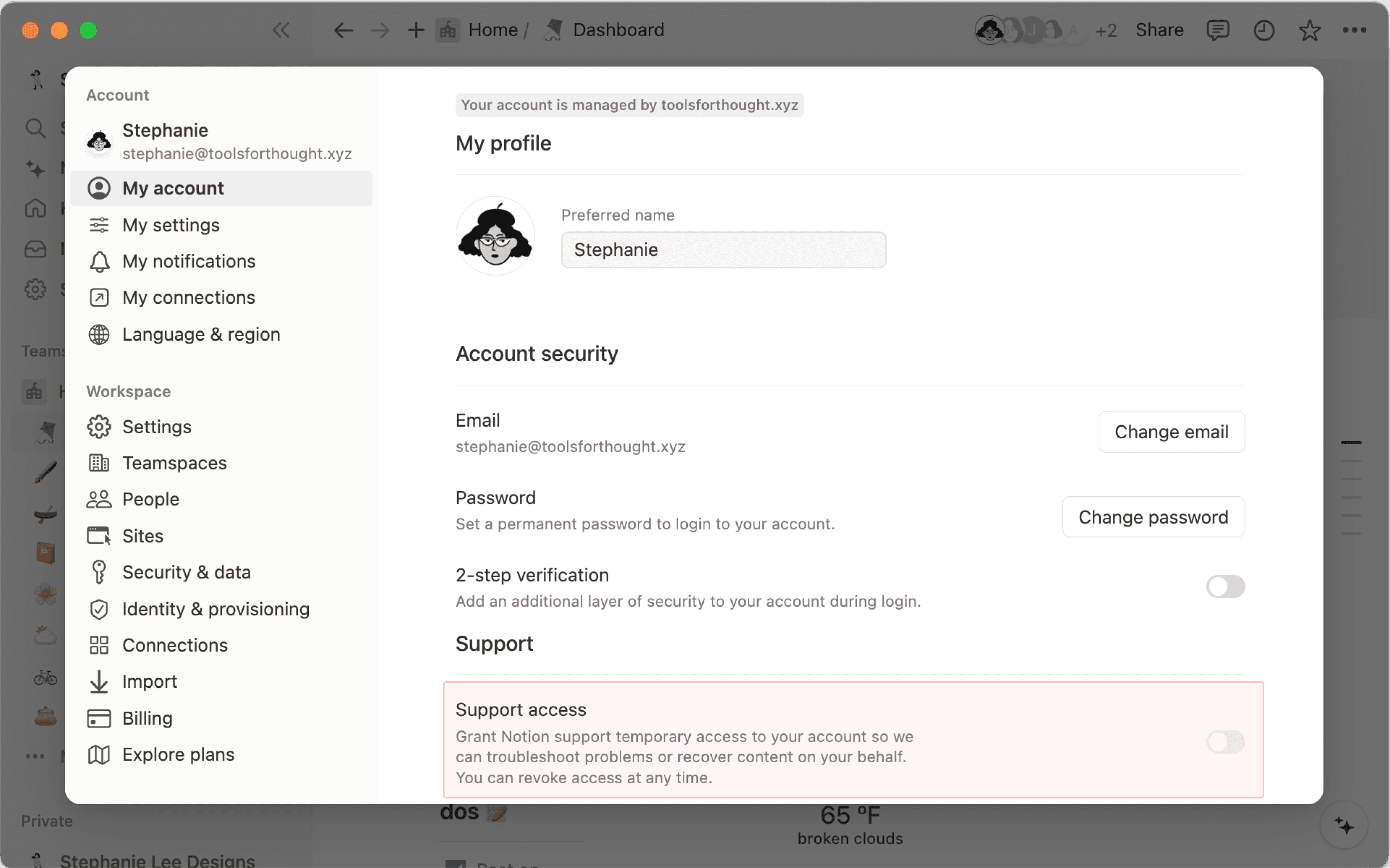
Allow data access
When chatting with Notion support via email or in-app chat, you may be asked for consent to access your account, in order to help with troubleshooting or recovery. To allow data access:
Go to
Settingsin your sidebar →{your name}.Under
Support, Toggle onSupport access.
Revoke data access
After you've granted access, Notion's support team will have permission to access your content for 28 days, or until you revoke this access. This timeframe will be visible in-app. To revoke access at any time:
Go to
Settingsin your sidebar →{your name}.Under
Support, Toggle offSupport access.
To allow or revoke support access on Notion for mobile:
Open Notion on mobile and tap
•••.Tap
Settings.Toggle on or off
Support access.
FAQs
Who can turn on workspace access?
Who can turn on workspace access?
Workspace admins and owners. In Enterprise organizations, org admins can also manage it from the organization console.
Does account access stay on forever?
Does account access stay on forever?
No. Account access ends on its own after 28 days by default. You can turn it back on whenever you need to.